A private morning brief
VAND turns the information you chose to log into a concise briefing about what changed and what may matter today.
Offline personal AI assistant for Windows
VAND runs on your own PC and builds useful long-term memory from your journal, habits, health, goals, and conversations. After the one-time model download, your private AI works offline. No account. No subscription. No parent company reading your life.
Windows x64 · 14-day full trial · no card or email
Watch VAND in 20 seconds →Real Windows build · labelled demo data
This is VAND 0.13.2 running on Windows—not a concept render, and not a customer's private information.
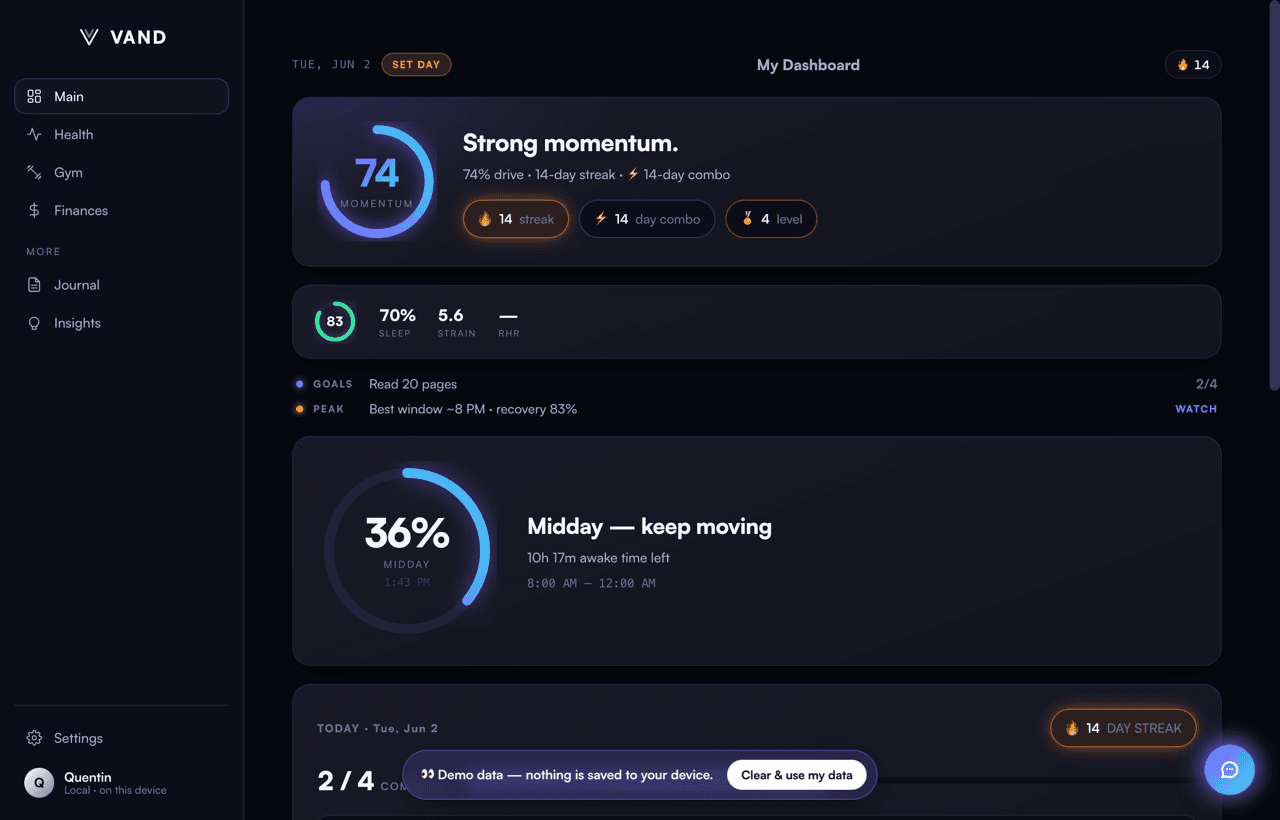
VAND turns the information you chose to log into a concise briefing about what changed and what may matter today.
Ask from your journal, habits, sleep, workouts, goals, and saved context instead of starting every chat from zero.
Find related memories by meaning, even when you do not remember the exact words or date.
Surface shifts and correlations from your own history, with the underlying observations kept on your machine.
Journal entries, habits, goals, health context, and prior conversations stay in an encrypted local file.
Ask about your own weeks and years, surface what changed, and connect signals a generic chatbot cannot see.
The paid key is verified offline. If VAND disappeared tomorrow, the copy you own would keep working.
More than an offline chat window
Local chat apps protect a conversation. VAND is built to protect and understand the continuity of your life: morning briefs from your real data, persistent memory you control, semantic recall across old journal entries, pattern detection, weekly reviews, and questions answered from your own history.
Encrypted at rest
AES-256-GCM protects the local vault; optional passphrase locking keeps the key under your control.
On-device intelligence
The model downloads once, then personal prompts and memory stay on your computer.
Before you install
Yes, after the one-time local model download. Personal prompts, memory, briefs, and journal search then run on your Windows PC. Downloads, updates, and checkout still require internet access.
VAND keeps its vault in an AES-256-GCM-encrypted file on your computer. The VAND website does not receive your journal, habits, health context, goals, or personal AI conversations.
No. VAND works with information you deliberately enter, import, or explicitly connect. It does not silently monitor your screen or crawl unrelated files.
Yes. The 14-day trial requires no card or email, and the built-in demo profile lets you inspect the real app before adding any information of your own.
It is one lifetime license for the same complete Windows app—no monthly subscription. The license is verified locally so an installed, activated copy does not depend on VAND's website to keep opening.
VAND is currently an unsigned independent Windows app because the release path must stay zero-cost. The download page publishes the installer hash and shows the exact safe installation steps.
The complete app is free for 14 days. If VAND becomes useful enough to keep, pay once and own the same app forever.
No subscription · offline-verified lifetime key