Track everything.
Everytime.
Whatever you want to keep track of — you name it, VAND keeps it. Type “ran 5k” and it files itself. Everything stays in one encrypted file on your own computer — no account, no server.
Windows 10/11 x64 and macOS. Tracking works with no AI; chat is optional and uses your own key.
Windows 10/11 (x64) and macOS (Apple Silicon or Intel). AI is optional — bring your own key.
Free to start — see pricing
An AI that actually knows you.
Daily to-dos, streaks, and goals you can actually keep.
Log workouts, track sets, and watch progressive overload.
Supplements, water, sleep, mood, and daily recovery context.
Net worth, subscriptions, and orders, all in one view.
Optional. Use your own Anthropic or OpenAI key, or a local model. No VAND server in between.
Everything lives in one AES-256 file on your own disk.
See what you are installing.
Captures from VAND 0.14.1 with sample data. No concept render and no customer data.
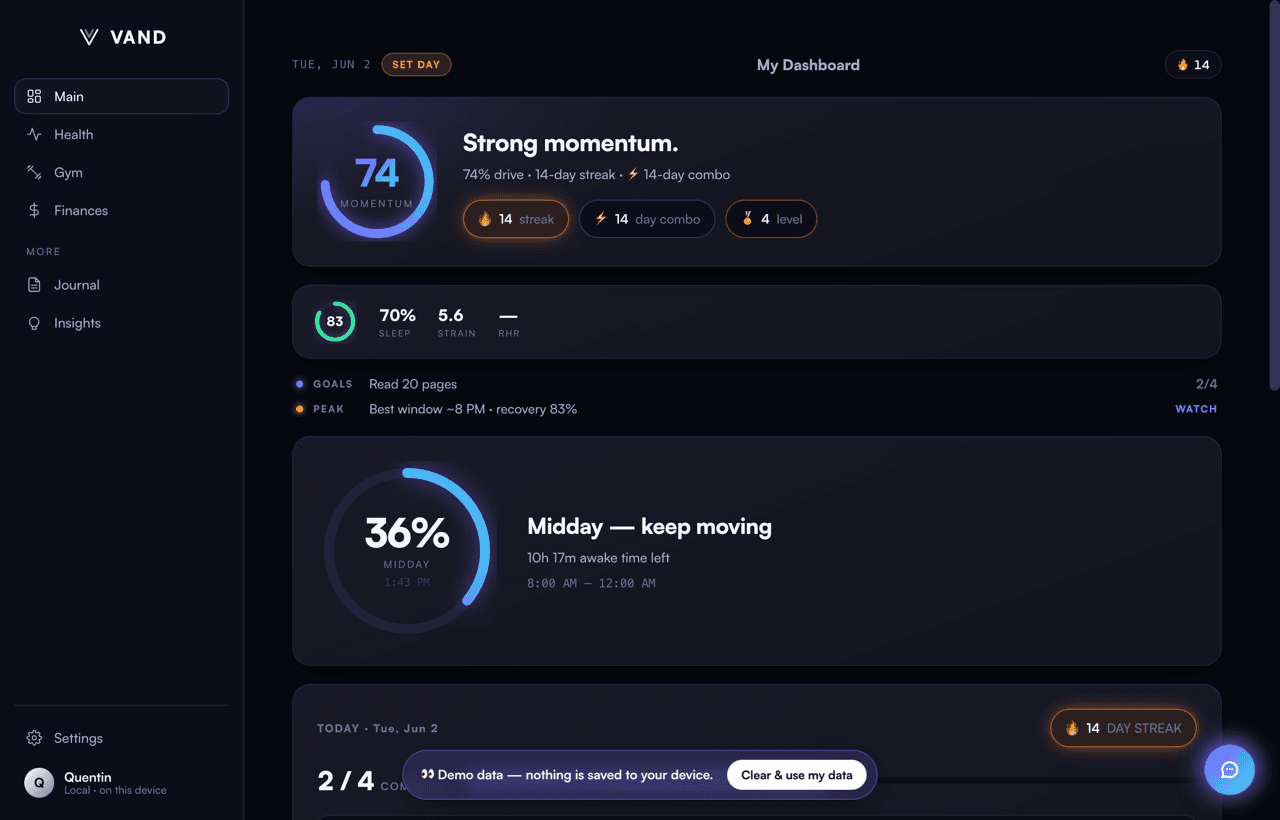
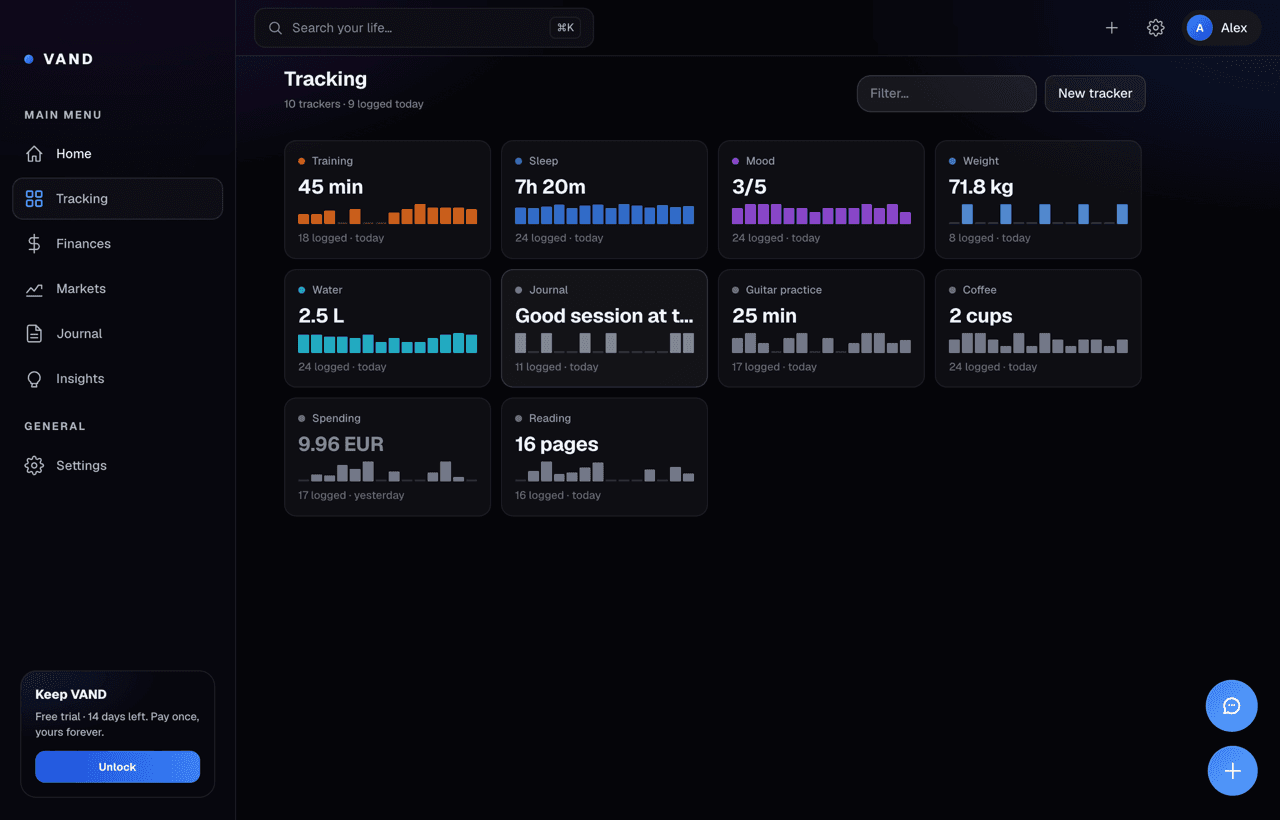
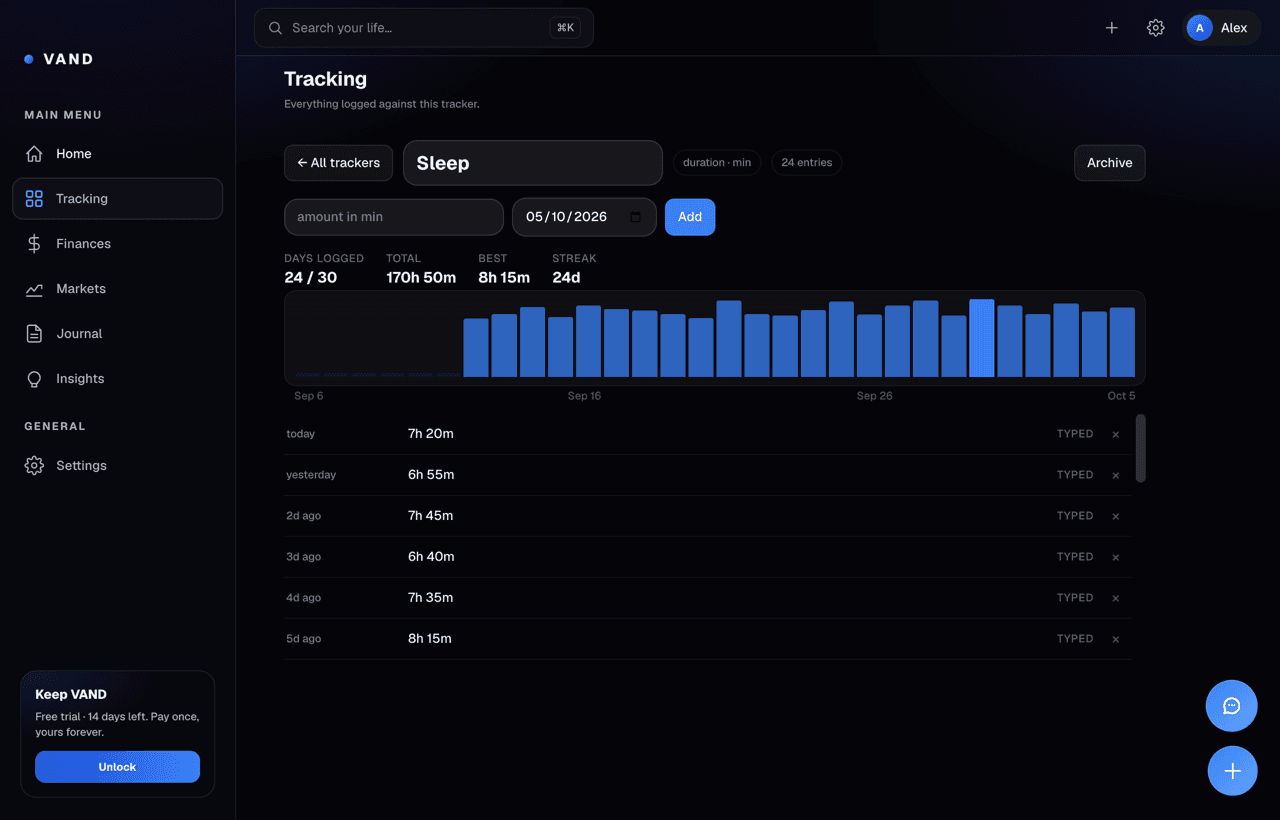
Patterns you wouldn't spot unaided.
Every morning VAND looks at what you logged and surfaces streaks, correlations, and gaps. A rules engine ships in the app, and it needs no model at all. Add your own Anthropic or OpenAI key to chat about it — your key, your account, sent straight from your computer. Your vault never moves either way.
Know what is holding
VAND compares your current habit streak with your own earlier runs and names the next action needed to preserve it.
Test a relationship in your data
After enough paired sleep and mood logs, VAND compares the averages and labels how much evidence is actually available.
Catch a slipping routine
When a routine breaks from its recent cadence, VAND can flag the gap before the streak disappears from view.
See progress against your target
VAND compares recent nutrition logs with the target stored on your computer and reports the direction without inventing certainty.
Your vault never leaves your machine.
The desktop app has no analytics, ad networks, or data sales. AI is optional and uses your own key, with no VAND server in between. Encryption is on by default, and your data is exportable and deletable whenever you want.
What VAND actually is.
What is VAND?
VAND is a desktop app for Windows and macOS that tracks anything you can name — you define the trackers, it is not a fixed set of categories. It reads what you type in plain English, imports Apple Health and bank statements, and stores everything in a single AES-256-GCM-encrypted file on your own computer. The vault never leaves the machine. The AI is optional: bring your own Anthropic or OpenAI key and prompts go straight from your computer to that provider, on your account.
How is VAND different from ChatGPT, Claude, or Gemini?
ChatGPT, Claude, and Gemini are chat services that run on their companies' servers and store conversations centrally. VAND is a tracking app: your records stay in an encrypted file on your own computer and there is no VAND server. Its AI chat is optional and uses your own Anthropic or OpenAI key, sent directly from your computer to that provider, or a local model through Ollama. VAND is owned by a single founder with no investors.
Does VAND require an internet connection?
Tracking does not. Logging, importing, charts, and questions about your own data are all answered locally with no model and no network. The AI chat does need a connection, because it uses the provider you chose with your own key — that is the one thing that leaves, and only when you use it. A local model through Ollama remains an option if you would rather nothing left at all.
Is my data private?
Yes. All user data is stored in a single file in the app's local data directory and encrypted at rest with AES-256-GCM. The encryption key is wrapped by the operating system's secure storage or a user-set passphrase. There is no VAND account, cloud data store, analytics, telemetry, or third-party SDK that touches the data.
What can VAND do that a regular AI assistant cannot?
Three things. (1) It answers questions about your own life from your own records — 'how much did I sleep last week' is read out of your vault, not guessed by a model. (2) It remembers you across sessions, on your machine, because the data is yours and stays there. (3) It tracks anything you name rather than the categories someone else picked.
How much does VAND cost?
Free 14-day trial of the entire app, then bought once: Intelligence is €79 for a lifetime license key, and Max is €149 — a founder tier that unlocks the identical app while backing independent development. Never a subscription. There are no accounts — payment delivers a license key that is verified offline on the user's own machine, and anyone who installed VAND before pricing launched can email for a free Intelligence key.
Who built VAND?
VAND is built by Quentin Vandorme, a solo founder. There is no parent company, no investors, no acquisition path, and no roadmap toward those. This is structural to the product — a personal AI cannot have a business model that requires extracting from its user.
What operating systems does VAND support?
VAND ships today for Windows (x64) and macOS (Apple Silicon and Intel). The installer is about 100 MB and unsigned, so Windows and macOS ask you to confirm the first launch. An iOS PWA followed by a native iOS app is the next planned surface; a Linux build is not yet available.
Built by Quentin Vandorme. VAND is a one-person project — no parent company, no investors, no acquisition path.
Own it. Don't rent your mind.
Free 14-day trial of the whole app. Then bought once — a license key you own forever. No account, nothing stored online.
- ✓Morning brief + Ask VAND chat
- ✓Global quick-capture from any app
- ✓Track anything you can name
- ✓Encrypted, 100% on your computer
- ✓The full app, unlocked forever
- ✓Key issued the moment you pay
- ✓Verified on your machine — offline, forever
- ✓No account. The key is all there is.
- ✓Everything in Intelligence — same app, honestly
- ✓MAX · Founder badge in the app
- ✓Funds development that answers to no investor
Installed VAND before pricing launched? Email us for a free Intelligence key — the promise stands. Full pricing →
Install once. Own your data.
No account, no cloud, no tracking. VAND installs as a desktop app and keeps everything in one encrypted file on your own disk.
Windows 10/11 x64 and macOS. Tracking works with no AI; chat is optional and uses your own key.